

Authorization header.
1
Generate a key
In the Flovoo dashboard, go to Connectors → API → Generate new token. Name it, and pick only the scopes your integration actually needs — each scope maps to one or more endpoints in the API reference.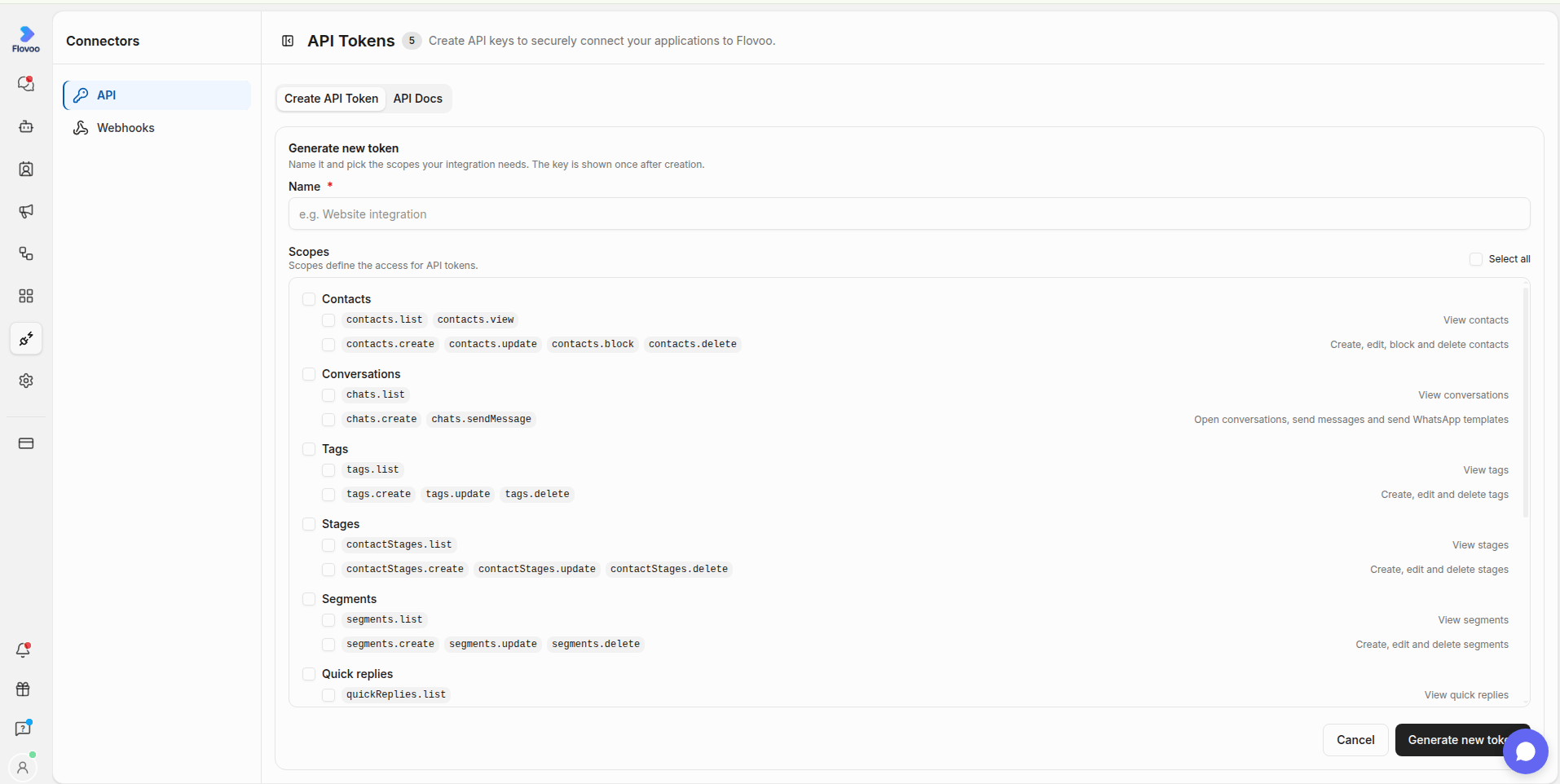
2
Send it on every request
The organization is derived entirely from the key — no request carries an
organizationId. A key only ever sees the data of the organization that created it.Scopes
A key’s scopes are fixed at creation and can only be widened by generating a new key. A request made with a key lacking the scope an endpoint requires is rejected with403 — see Errors.
Security
- Store your key in your server environment, never in client-side code.
- Revoke a key immediately if it may have leaked — from Connectors → API.
- Prefer the narrowest set of scopes that gets the integration working.
- Use a separate key per environment (staging, production, each integration) — this scopes the blast radius of a leak and lets you revoke one integration without breaking the others.
- Rotate keys periodically even without a known leak. Since a key can’t be widened after creation, generate the replacement with the same scopes, switch your integration over, then revoke the old one.